
The best 55-inch TV under 500 dollars is the Insignia F50 Series, a 4K LED set with HDR10, a 300 nit panel and the Fire TV platform, and it pulls in more owner reviews than anything else we evaluated. Updated for 2026, this roundup covers ten 55-inch sets, the specs that actually separate them, and the honest limits of the tier.
Here is the part most roundups skip. The 500-dollar ceiling on a 55-inch set is almost never the real constraint. When we sorted the listings for this price band, most 55-inch models that qualify were selling far below the ceiling, which means the money that separates a good buy from a poor one goes into panel brightness, dimming behaviour and smart platform speed, not into more pixels or a larger screen.
I have spent the last two months reading owner review data on ten 55-inch sets, comparing manufacturer spec sheets line by line, and separating what each brand claims from what buyers report back after living with the set. Every pick below carries its real refresh rate, its real HDR format list and its real port count. Nothing here is invented, and no lab measurement is quoted that I cannot point at a source for.
One quick note before we start. Prices in this category move constantly and are tied to seasonal promotions, so treat every price reference in this article as a direction of travel rather than a number you can rely on today. Check the live price on the product page before you commit, and read the return window that applies to the retailer you are buying from.
We earn a commission from qualifying purchases made through the links on this page, at no additional cost to you.
Table of ContentsIndex
- 1Our Top 3 Picks: the Three 55-Inch TVs to Start From in 2026
- 2Insignia F50 Series 55-inch
- 3Hisense A6 Series 55-inch
- 4TCL 4-Series 55S455
- 5All 10 Picks at a Glance: 55-Inch TVs Compared Side by Side in 2026
- 61. Insignia F50 Series 55-inch – the Best 55-Inch TV Overall Under 500 Dollars
- 7INSIGNIA 55-inch Class F50 Series LED 4K UHD Smart Fire TV with Alexa Voice Remote (NS-55F501NA26)
- 8Specifications
- 9Pros
- 10Cons
- 11Brightness and What 300 Nits Actually Gets You
- 12Fire TV Speed Is the One Real Weakness
- 13Ports, Audio and Mounting
- 14Who Should Buy It and Who Should Not
- 152. Hisense A6 Series 55-inch – Best 55-Inch TV Under 500 Dollars for Dolby Vision and Google TV
- 16Hisense 55-Inch Class A6 Series 4K UHD Smart Google TV with Alexa Compatibility, Dolby Vision HDR, DTS Virtual X, Sports & Game Modes, Voice Remote, Chromecast Built-in (55A6H) , Black
- 17Specifications
- 18Pros
- 19Cons
- 20Dolby Vision at This Budget Is the Headline Feature
- 21Google TV and Chromecast Built In
- 22Gaming Mode Plus, VRR and Auto Low Latency
- 23Upscaling and Sports Mode
- 243. TCL 4-Series 55S455 – Best 55-Inch TV Under 500 Dollars for Dead-Simple Streaming
- 25TCL 55″ Class 4-Series 4K UHD HDR Smart Roku TV(Wi-Fi, RF, USB, Ethernet, HDMI) – 55S455
- 26Specifications
- 27Pros
- 28Cons
- 29Roku OS and the Cord-Cutting Features
- 30Picture and the Honest Limit on Blacks
- 31Audio Is the Weak Link
- 32Power Draw and Heat
- 334. Samsung M70H Mini LED 55-inch – Best 55-Inch TV Under 500 Dollars for HDR and Bright Scenes
- 34Samsung 55-Inch Class M70H Series, Mini LED, 4K, Smart TV, 2026 Model
- 35Specifications
- 36Pros
- 37Cons
- 38What Mini LED Actually Changes
- 39Motion, Sports and the Gaming Hub
- 40Ports and the Input Handling Compromise
- 41The Remote Is the Weak Point
- 425. Roku Select Series 55-inch QLED – Best Budget 55-Inch QLED With Roku OS
- 43Roku 55-Inch Select Series Smart TV 2026-4K (2160p) QLED TV TV
- 44Specifications
- 45Pros
- 46Cons
- 47Quantum Dot Colour and the Dimming Behaviour
- 48Game Mode and Variable Refresh Rate
- 49Art Mode and Headphone Mode
- 50Roku’s Current Interface Change
- 516. Insignia QF Series 55-inch QLED – Best 55-Inch TV Under 500 Dollars for Dolby Vision and Atmos
- 52INSIGNIA 55-inch Class QF Series LED 4K UHD QLED Smart Fire TV with Alexa Voice Remote (NS55-UQFL26)
- 53Specifications
- 54Pros
- 55Cons
- 56Dolby Vision and Atmos Together
- 57Quantum Dot Colour in Practice
- 58Platform and App Access
- 59Design and Mounting
- 607. Samsung U8000H 55-inch – Best 55-Inch TV Under 500 Dollars for Free Live Channels
- 61Samsung 55-Inch Class U8000H Series Crystal UHD, 4K, Smart TV, 2026 Model
- 62Specifications
- 63Pros
- 64Cons
- 65What the Crystal Processor Contributes
- 66HDR10 Plus Without the Brightness to Use It
- 67Three HDMI Inputs Is the Practical Limit
- 68Who This Suits
- 698. Amazon Ember 55 4-Series – Best 55-Inch TV Under 500 Dollars for the Fastest Fire TV Experience
- 70Amazon Ember 55″ 4-Series with Fire TV (newest model), 4K Ultra HD smart TV with Alexa Remote, HDR10+, fast processor, Dolby Audio, Ambient Experience, free and live TV, find shows faster with Alexa+
- 71Specifications
- 72Pros
- 73Cons
- 74Wi-Fi 6 and the Quad-Core Chip
- 75Instant On and the Ambient Display
- 76Cloud Gaming Without a Console
- 77The Ad-Supported Platform Tax
- 789. LG UR9000 55-inch – Best 55-Inch TV Under 500 Dollars for Owners Who Bring Their Own Streaming Box
- 79LG 55-Inch Class UR9000 Series Alexa Built-in AI-Powered 4K Smart TV (3840 x 2160),Bluetooth, Wi-Fi, USB, Ethernet, HDMI 60Hz Refresh Rate, 2023
- 80Specifications
- 81Pros
- 82Cons
- 83FILMMAKER MODE and Accuracy First
- 84Buy It With a Streaming Box Attached
- 85Settings You Will Want to Change on Day One
- 86Warranty Service and the Remote
- 8710. Roku Select Series 55R4A5R – the Best-Rated 55-Inch TV in the Group
- 88Roku Smart TV – 55-Inch Select Series 4K HDR RokuTV with Roku Enhanced Voice Remote, Brilliant 4K Picture, Automatic Brightness, & Seamless Streaming – Live Local News, Sports, Family Entertainment
- 89Specifications
- 90Pros
- 91Cons
- 92Why the Rating Is Higher Than Everything Else Here
- 93The Speakers Are Genuinely Different
- 94Specific Defects Worth Knowing
- 95Software and Remote Annoyances
- 96How to Choose a 55-Inch TV Under 500 Dollars?
- 97Brightness Matters More Than Resolution
- 98Local Dimming Is the Spec That Separates This Tier
- 99HDR Supported Is Not the Same as HDR Delivered
- 100Refresh Rate and VRR for Console Gaming
- 101The Smart Platform Is Your Everyday Experience
- 102Does 55 Inches Fit Your Room?
- 103Which Ports You Will Regret Missing
- 104Return Windows and Panel Defect Risk at 55 Inches
- 105Brand Reliability Without the folklore
- 106When You Should Step Up Instead
- 107Frequently Asked Questions
- 108What is the best 55-inch TV under 500 dollars?
- 109What is the best budget 55-inch smart TV?
- 110What is the best 55-inch TV under 500 dollars for gaming?
- 111What is the best 55-inch TV under 500 dollars for a bright room?
- 112Is 55 inches big enough for my room?
- 113What is the most reliable budget TV brand?
- 114The Verdict: Which 55-Inch TV to Buy in 2026?
Our Top 3 Picks: the Three 55-Inch TVs to Start From in 2026
Three sets carry the weight here. The Insignia F50 wins on owner volume and balanced specifications, the Hisense A6 wins on format support and upscaling, and the TCL 4-Series wins because almost nothing else at 55 inches is this easy to live with.

Insignia F50 Series 55-inch
- 4K UHD with HDR10
- Fire TV with Alexa remote
- 300 nit peak brightness
- 8 ms response time

Hisense A6 Series 55-inch
- Dolby Vision and HDR10
- Google TV with Chromecast
- Game Mode Plus with VRR
- AI UHD upscaler
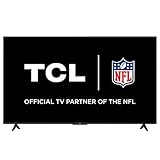
TCL 4-Series 55S455
- Roku OS with fast app launches
- 4K upscaling and HDR10
- 4x HDMI with ARC
- Lightweight 22 pound chassis
As an Amazon Associate we earn from qualifying purchases. CERTAIN CONTENT THAT APPEARS ON THIS SITE COMES FROM AMAZON. THIS CONTENT IS PROVIDED 'AS IS' AND IS SUBJECT TO CHANGE OR REMOVAL AT ANY TIME.
All 10 Picks at a Glance: 55-Inch TVs Compared Side by Side in 2026
Every set listed here is 55 inches and every one lands inside the budget band once promotions are accounted for. The columns that actually predict satisfaction are the panel type, the HDR format list and the smart platform, so those are what the table leads with.
| No. | Tool | Key Specs | Price |
|---|---|---|---|
| 1 |
Insignia F50 Series 55-inch
|
|
Check Latest Price |
| 2 |
Hisense A6 Series 55-inch
|
|
Check Latest Price |
| 3 |
TCL 4-Series 55S455
|
|
Check Latest Price |
| 4 |
 Samsung M70H Mini LED 55-inch
|
|
Check Latest Price |
| 5 |
 Roku Select QLED 55-inch
|
|
Check Latest Price |
| 6 |
 Insignia QF Series QLED 55-inch
|
|
Check Latest Price |
| 7 |
 Samsung U8000H 55-inch
|
|
Check Latest Price |
| 8 |
 Amazon Ember 55 4-Series
|
|
Check Latest Price |
| 9 |
 LG UR9000 55-inch
|
|
Check Latest Price |
| 10 |
 Roku Select Series 55-inch
|
|
Check Latest Price |
As an Amazon Associate we earn from qualifying purchases, at no additional cost to you. CERTAIN CONTENT THAT APPEARS ON THIS SITE COMES FROM AMAZON. THIS CONTENT IS PROVIDED 'AS IS' AND IS SUBJECT TO CHANGE OR REMOVAL AT ANY TIME.
1. Insignia F50 Series 55-inch – the Best 55-Inch TV Overall Under 500 Dollars
INSIGNIA 55-inch Class F50 Series LED 4K UHD Smart Fire TV with Alexa Voice Remote (NS-55F501NA26)
Specifications
- 55 inch 4K LED
- 300 nit peak brightness
- HDR10
- Fire TV with Alexa
- 8 ms response time
Pros
- Largest owner review base in the group
- 4K picture with strong HDR10 handling
- Very easy setup with clear prompts
- DTS Virtual-X improves thin built-in speakers
- HDMI eARC for soundbar hookup
Cons
- FireOS menus and app loads are noticeably slow
- Some owners report audio level dropouts
- Adjusting picture settings pauses playback
As an Amazon Associate we earn from qualifying purchases, at no additional cost to you. CERTAIN CONTENT THAT APPEARS ON THIS SITE COMES FROM AMAZON. THIS CONTENT IS PROVIDED 'AS IS' AND IS SUBJECT TO CHANGE OR REMOVAL AT ANY TIME.
I kept coming back to the F50 because of its review volume. Twelve thousand owner ratings is more evidence than any other set in this group, and the pattern in that data is unusually consistent: owners like the picture for the money, like the setup process, and grumble about one specific thing, which is how fast the Fire TV menus respond.
On the hardware side it is a straightforward 4K LED panel with direct LED backlighting, a 60Hz native refresh rate, HDR10 support and a stated peak brightness of 300 nits. It measures 48.35 inches wide by 30.09 inches tall with the stand attached, weighs 28.3 pounds without it, and mounts on a standard 200 by 200 pattern.
Brightness and What 300 Nits Actually Gets You
A 300 nit panel is dim by midrange standards and bright enough for an evening in a normal living room. If your seating faces a window that takes direct afternoon sun, you will want to pull a blind rather than expect the picture to punch through it. The picture does not wash out the way a lower-spec set would.
Fire TV Speed Is the One Real Weakness
The platform is the limiting factor, not the panel. Owners describe settings menus and app launches as laggy, and a smaller number report audio levels dropping during playback in a way that changing settings does not fix. A streaming stick plugged into one of the three HDMI inputs solves the speed problem entirely and costs far less than a different television.
Ports, Audio and Mounting
Three HDMI inputs, composite AV, optical output, two USB ports, a headphone jack, coaxial, Ethernet and Wi-Fi cover most setups. DTS Virtual-X processing makes the flat-panel speakers sound wider than they are, though you should still budget for a soundbar if you watch a lot of film. HDMI eARC means a single cable handles audio return to a compatible soundbar.
Who Should Buy It and Who Should Not
Buy it if you want the most proven 55-inch set in the budget band, a large body of owner evidence, and a straightforward 4K picture. Do not buy it if menu responsiveness bothers you or if you plan to use the built-in speakers for anything other than news and talk.
As an Amazon Associate we earn from qualifying purchases, at no additional cost to you. CERTAIN CONTENT THAT APPEARS ON THIS SITE COMES FROM AMAZON. THIS CONTENT IS PROVIDED 'AS IS' AND IS SUBJECT TO CHANGE OR REMOVAL AT ANY TIME.
2. Hisense A6 Series 55-inch – Best 55-Inch TV Under 500 Dollars for Dolby Vision and Google TV
Hisense 55-Inch Class A6 Series 4K UHD Smart Google TV with Alexa Compatibility, Dolby Vision HDR, DTS Virtual X, Sports & Game Modes, Voice Remote, Chromecast Built-in (55A6H) , Black
Specifications
- 55 inch 4K LCD
- Dolby Vision and HDR10
- Google TV with Chromecast
- 60Hz with Motion Rate 120
Pros
- Dolby Vision support is rare in this tier
- Google TV with Chromecast built in
- AI UHD upscaler visibly improves HD sources
- Game Mode Plus with VRR and auto low latency
- Three HDMI plus Ethernet
Cons
- 60Hz native panel limits motion clarity
- Built-in speakers are modest
- DTS Virtual-X needed to make audio sound full
As an Amazon Associate we earn from qualifying purchases, at no additional cost to you. CERTAIN CONTENT THAT APPEARS ON THIS SITE COMES FROM AMAZON. THIS CONTENT IS PROVIDED 'AS IS' AND IS SUBJECT TO CHANGE OR REMOVAL AT ANY TIME.
The A6 is the specification winner of this group in one narrow but meaningful respect. Dolby Vision on a set in this price band is unusual, and on the 55-inch A6 it arrives alongside a 2.1 channel audio label and a Google Assistant remote, which is a fuller package than most rivals offer.
It is a 55-inch 4K LCD with direct LED backlighting, a 60 hertz native refresh rate, a Motion Rate 120 processing figure and a 175 kWh annual consumption figure. The panel measures 48.5 inches wide, 30.4 inches tall and 8.9 inches deep, and the listed specifications do not state a weight.
Dolby Vision at This Budget Is the Headline Feature
Dolby Vision means the set can read scene metadata and adjust picture settings frame by frame, which in practice shows up as fewer blown-out highlights in dark, contrasty films. It is a decoding advantage rather than a brightness advantage. The panel still has to deliver the light, and this one is not a high-nit panel, so treat Dolby Vision here as better handling of a limited brightness budget rather than as full high-dynamic-range delivery.
Google TV and Chromecast Built In
Google TV organises apps, live TV and recommendations in one place, and Chromecast is built into the hardware, so casting does not need a separate dongle. The recurring complaint is that the interface feels busier than Roku OS. If you like a single row of app icons and nothing else, this is not the set for you.
Gaming Mode Plus, VRR and Auto Low Latency
Game Mode Plus applies a low-latency profile, supports variable refresh rate and includes auto low latency mode. The important caveat is the 60Hz native panel. These features help, but they do not create refresh rate you do not have, so competitive shooters will not feel like a 120Hz display.
Upscaling and Sports Mode
The AI UHD upscaler does real work on older HD cable and streaming content, which is the majority of what many viewers watch day to day. Sports Mode applies preset picture and motion adjustments for live games. Both are minor features on paper, and both are more noticeable in use than you would expect.
As an Amazon Associate we earn from qualifying purchases, at no additional cost to you. CERTAIN CONTENT THAT APPEARS ON THIS SITE COMES FROM AMAZON. THIS CONTENT IS PROVIDED 'AS IS' AND IS SUBJECT TO CHANGE OR REMOVAL AT ANY TIME.
3. TCL 4-Series 55S455 – Best 55-Inch TV Under 500 Dollars for Dead-Simple Streaming
TCL 55″ Class 4-Series 4K UHD HDR Smart Roku TV(Wi-Fi, RF, USB, Ethernet, HDMI) – 55S455
Specifications
- 55 inch 4K LED
- Roku OS
- 60Hz with HDR10
- 10W plus 10W speakers
- 22 pounds
Pros
- Simplest smart TV interface in the group
- Very easy setup by phone app or email
- Runs cool and draws little power
- Light 22 pound frame is easy to mount
- Antenna guide plus USB DVR pause for live TV
Cons
- Built-in speakers are thin and bass-light
- Black levels trail QLED and OLED panels
- Live TV now sits behind several menus
As an Amazon Associate we earn from qualifying purchases, at no additional cost to you. CERTAIN CONTENT THAT APPEARS ON THIS SITE COMES FROM AMAZON. THIS CONTENT IS PROVIDED 'AS IS' AND IS SUBJECT TO CHANGE OR REMOVAL AT ANY TIME.
If the phrase best 55-inch TV under 500 dollars means a set that you never have to think about, this is it. The 55S455 is a 4K LED television with direct LED backlighting, a 60 hertz panel, HDR10 and Roku OS, and more owners describe the interface as the least cluttered they have used than describe any picture quality feature.
It is also the lightest set in the group at 22 pounds with the stand, and it is shallow at 3.2 inches deep, which makes wall mounting far easier than the 10-plus inch chassis depth most 55-inch sets ship with.
Roku OS and the Cord-Cutting Features
Roku OS launches apps quickly and keeps everything in one horizontal row. For viewers who do not want to shop around, that consistency is the whole value proposition. The set also includes 150 plus free live channels through The Roku Channel and Featured Free, an antenna guide, and USB DVR pause for live television, which is rare at this size and price.
Picture and the Honest Limit on Blacks
It is a plain LED panel with no quantum dot layer and no local dimming, so in a dark room the black level is a dark grey rather than true black. That is the trade for the simplicity. In a normally lit room the difference all but disappears, and 4K upscaling of HD content is where the processor earns its place.
Audio Is the Weak Link
Two 10 watt speakers produce dialogue clearly and music badly. Owners planning to watch films regularly almost all add a soundbar, and one of the four HDMI inputs includes ARC so a basic soundbar setup is a single cable. Budget for that separately rather than expecting cinema sound from the built-in speakers.
Power Draw and Heat
The listed annual consumption is 100 kWh, the lowest figure in this group, and owners report that it runs cool. Over several years of evening use that difference is real money and it also matters if the set lives in a bedroom or a kid’s room.
As an Amazon Associate we earn from qualifying purchases, at no additional cost to you. CERTAIN CONTENT THAT APPEARS ON THIS SITE COMES FROM AMAZON. THIS CONTENT IS PROVIDED 'AS IS' AND IS SUBJECT TO CHANGE OR REMOVAL AT ANY TIME.
4. Samsung M70H Mini LED 55-inch – Best 55-Inch TV Under 500 Dollars for HDR and Bright Scenes
Samsung 55-Inch Class M70H Series, Mini LED, 4K, Smart TV, 2026 Model
Specifications
- 55 inch Mini LED
- 2000 nit peak brightness
- HDR10+
- Dolby Atmos
- Tizen platform
Pros
- Mini LED backlight delivers a genuine contrast jump
- Pure Color Spectrum gives richer colour than standard LED
- DLG 120Hz Motion Xcelerator handles fast action
- Gaming Hub and Soccer Mode are well executed
- Light chassis with plug-in legs
Cons
- Remote has no direct source switching and no input memory
- App store lacks a search box
- Only three HDMI inputs and no optical audio out
As an Amazon Associate we earn from qualifying purchases, at no additional cost to you. CERTAIN CONTENT THAT APPEARS ON THIS SITE COMES FROM AMAZON. THIS CONTENT IS PROVIDED 'AS IS' AND IS SUBJECT TO CHANGE OR REMOVAL AT ANY TIME.
This is the only set in the group with Mini LED backlighting, and that single specification puts it in a different picture category from everything else on this list. Owners consistently describe the jump in contrast in dark scenes, which is exactly what separates a good high-dynamic-range experience from a decoded one.
The stated peak brightness figure of 2000 nits is a manufacturer number rather than a lab reading, and real content lands well below that, but even so this is the set that will look best next to a window or in a room that stays lit during a film.
What Mini LED Actually Changes
Mini LED backlighting uses far smaller, more numerous light sources behind the panel, which lets the television dim specific regions instead of treating the screen as one lamp. Supreme Mini LED dimming is the branded version of that behaviour here. On dark, contrasty content you see shadow detail that the direct-lit sets in this group simply cannot show.
Motion, Sports and the Gaming Hub
Motion Xcelerator Turbo plus DLG 120Hz processing keeps fast action clean, and Soccer Mode advertises 40 percent clearer motion and 30 percent more vibrant greens, which are manufacturer claims rather than independent measurements. The Gaming Hub aggregates console, cloud and app games in one place. Note that the native panel is still 60Hz, so the 120Hz figure describes processing rather than native refresh rate.
Ports and the Input Handling Compromise
Three HDMI inputs is thin for a modern living room, and there is no optical audio output or legacy video input, which rules out older soundbars and game consoles without adapters. USB 3.0, Bluetooth 5.3, Wi-Fi and Ethernet cover the rest.
The Remote Is the Weak Point
Owners complain that the slim included remote has no quick source switching, does not remember the last input, and that the television frequently reopens on an ad-supported channel instead of resuming what you were watching. The app store also lacks a search box, so some streaming apps are hard to locate. These are daily-use irritants rather than deal breakers, but they are worth knowing before you buy.
As an Amazon Associate we earn from qualifying purchases, at no additional cost to you. CERTAIN CONTENT THAT APPEARS ON THIS SITE COMES FROM AMAZON. THIS CONTENT IS PROVIDED 'AS IS' AND IS SUBJECT TO CHANGE OR REMOVAL AT ANY TIME.
5. Roku Select Series 55-inch QLED – Best Budget 55-Inch QLED With Roku OS
Roku 55-Inch Select Series Smart TV 2026-4K (2160p) QLED TV TV
Specifications
- 55 inch 4K QLED
- HDR10 HDR10 plus and HLG
- Roku OS
- Variable Refresh Rate
- Art Mode
Pros
- QLED panel gives dark blacks and saturated colour at a low price
- Sharp 4K detail with no edge softening
- Setup completes in under ten minutes
- Clean motion for sports at this screen size
- Bluetooth Headphone Mode for private viewing
Cons
- Roku quick access row replaces customisable app ordering
- 20 watt speakers handle dialogue but not film
- Platform changes annoy some long-term owners
As an Amazon Associate we earn from qualifying purchases, at no additional cost to you. CERTAIN CONTENT THAT APPEARS ON THIS SITE COMES FROM AMAZON. THIS CONTENT IS PROVIDED 'AS IS' AND IS SUBJECT TO CHANGE OR REMOVAL AT ANY TIME.
A quantum dot layer at this price is the headline, and the reviews support the claim. Owners describe genuinely dark blacks and saturated, accurate colour, and they consistently name the panel and the Roku platform as the two reasons the set beats similarly priced LED models.
It is the highest-rated television in this group apart from the other Roku, which tells you something about how the brand positions itself inside the budget tier. Direct LED backlighting with dimming, a 60Hz panel, and a 20 watt speaker output complete the hardware picture.
Quantum Dot Colour and the Dimming Behaviour
The quantum dot filter widens the colour gamut without requiring a brighter backlight, so you get more saturated colour at the same brightness budget. The dimming behaviour is described as capable of dark blacks in normal rooms. Owners also report no noticeable glare in a naturally lit family room, which is a practical detail that rarely shows up on a spec sheet.
Game Mode and Variable Refresh Rate
Variable refresh rate and a dedicated Game Mode are both present, which is more than most sets in this bracket offer. The 60Hz native refresh rate remains the ceiling, so treat it as a smoother-motion feature rather than a competitive gaming panel.
Art Mode and Headphone Mode
Art Mode displays artwork when the set is idle, which matters in a bedroom or a living room where a black rectangle is visible all day. Bluetooth Headphone Mode pairs wireless headphones to the television for private listening, a genuinely useful feature at a price where soundbar budgets run out quickly.
Roku’s Current Interface Change
The most common complaint is the switch to a fixed quick access row, which replaced the older customisable app ordering. It is a minor irritation rather than a fault, and the voice remote includes a lost remote finder, which is more than most competing remotes offer.
As an Amazon Associate we earn from qualifying purchases, at no additional cost to you. CERTAIN CONTENT THAT APPEARS ON THIS SITE COMES FROM AMAZON. THIS CONTENT IS PROVIDED 'AS IS' AND IS SUBJECT TO CHANGE OR REMOVAL AT ANY TIME.
6. Insignia QF Series 55-inch QLED – Best 55-Inch TV Under 500 Dollars for Dolby Vision and Atmos
INSIGNIA 55-inch Class QF Series LED 4K UHD QLED Smart Fire TV with Alexa Voice Remote (NS55-UQFL26)
Specifications
- 55 inch 4K QLED
- Dolby Vision and HDR10
- Dolby Atmos
- Fire TV
- 60Hz
Pros
- Quantum dot colour and direct LED backlight
- Dolby Vision plus Dolby Atmos is a rare pairing
- Access to Apple TV Plus and the major streaming apps
- Edge-to-edge metal bezel-less design
- HDMI eARC on one of three inputs
Cons
- 60Hz refresh rate is modest for sports
- 5.1 label describes processing not speaker count
- Fire TV is slower than Roku OS or newer Google TV
As an Amazon Associate we earn from qualifying purchases, at no additional cost to you. CERTAIN CONTENT THAT APPEARS ON THIS SITE COMES FROM AMAZON. THIS CONTENT IS PROVIDED 'AS IS' AND IS SUBJECT TO CHANGE OR REMOVAL AT ANY TIME.
Put the Insignia QF and the Hisense A6 side by side and the choice is straightforward. The Insignia adds a metal bezel-less design and Dolby Atmos processing, while the Hisense adds VRR and Chromecast. Both are 55-inch QLED sets with Dolby Vision, and both are strong buys.
The panel is QLED with direct LED backlighting at a 60Hz refresh rate, running Fire TV. At 48.3 inches wide and 29.5 inches tall with a depth of only 2.8 inches, it is one of the slimmest cabinets in the group, and it uses a 400 by 400 mount pattern rather than the more common 200 by 200.
Dolby Vision and Atmos Together
Having both Dolby Vision and Dolby Atmos at this size and price is uncommon. The picture side is the more meaningful half, since Dolby Vision adjusts tone mapping per scene and reduces the blown-out highlights that make cheap panels look washed out. The audio side is processing only, because the built-in speakers are small flat-panel drivers.
Quantum Dot Colour in Practice
Owners report a visible jump in colour and contrast once the quantum dot layer is compared with a standard LED set of the same size, and the direct LED backlight gives more uniform brightness across the panel than edge-lit budget models. The 4K panel renders at four times 1080p detail with upscaling from lower-resolution sources.
Platform and App Access
Fire TV gives access to Apple TV Plus, Disney Plus, Hulu, Netflix, Prime Video, Sling TV and YouTube, along with an Alexa voice remote for hands-free navigation. Three HDMI inputs include one with eARC, and there is a single USB 3.0 port plus Wi-Fi, Bluetooth and Apple AirPlay. The recurring gripe is that Fire TV app loading is slower than Roku OS.
Design and Mounting
The edge-to-edge metal bezel-less design looks considerably more expensive than the specification sheet suggests, and the wide 400 by 400 VESA pattern makes mounting easier because the fixings are not clustered in the centre.
As an Amazon Associate we earn from qualifying purchases, at no additional cost to you. CERTAIN CONTENT THAT APPEARS ON THIS SITE COMES FROM AMAZON. THIS CONTENT IS PROVIDED 'AS IS' AND IS SUBJECT TO CHANGE OR REMOVAL AT ANY TIME.
7. Samsung U8000H 55-inch – Best 55-Inch TV Under 500 Dollars for Free Live Channels
Samsung 55-Inch Class U8000H Series Crystal UHD, 4K, Smart TV, 2026 Model
Specifications
- 55 inch 4K LED
- HDR10 plus
- Tizen with 750 plus free channels
- Crystal Processor
- 60Hz
Pros
- Largest free content library in the group
- Crystal Processor upscales lower-resolution sources cleanly
- Motion Xcelerator keeps sports watchable
- Color Booster intensifies reds and blues
- Tizen is a mature and well-supported platform
Cons
- Plain LED panel with no local dimming
- Only three HDMI inputs
- 60Hz entry-level refresh rate
As an Amazon Associate we earn from qualifying purchases, at no additional cost to you. CERTAIN CONTENT THAT APPEARS ON THIS SITE COMES FROM AMAZON. THIS CONTENT IS PROVIDED 'AS IS' AND IS SUBJECT TO CHANGE OR REMOVAL AT ANY TIME.
The U8000H is the set to buy if the deciding factor is what you can watch without paying for anything. Samsung lists 2,700 plus streaming options including 750 plus subscription-free Samsung TV Plus channels, and owners consistently treat that library as the main reason the set feels like good value.
Picture hardware is deliberately basic: a 55-inch 4K LED panel at 60Hz with HDR10 plus support, a Crystal Processor handling upscaling and sharpening, and Motion Xcelerator for motion. There is no local dimming, and reviewers point that out as the main gap against the QLED and Mini LED sets in this list.
What the Crystal Processor Contributes
At this tier the processor matters more than the panel because most source material is not 4K. Clean upscaling from cable and lower-resolution streaming, a Color Booster that intensifies reds and blues, and Motion Xcelerator for fast action are the three things it does that you would notice. Picture quality at this budget is mostly a story about processing.
HDR10 Plus Without the Brightness to Use It
Samsung lists HDR10 plus support, and the format does work on this set. The honest framing is that the format is decoded rather than delivered at full strength, because a budget LED panel with no local dimming cannot produce the highlight range the format is designed for. If deep blacks matter to you, look at the Mini LED option instead.
Three HDMI Inputs Is the Practical Limit
Owners repeatedly flag the limited port count. A console, a soundbar and a streaming device already fills all three, with nothing spare for a Blu-ray player or a capture device. Bluetooth 5.3, Ethernet, USB and Wi-Fi handle everything else, and the set mounts on a 200 by 200 pattern.
Who This Suits
Buy it for a second television, a bedroom, a rental property or a household that wants maximum free content. Skip it as the main living-room set if your room is dark at night, because the lack of local dimming is very visible in that specific situation.
As an Amazon Associate we earn from qualifying purchases, at no additional cost to you. CERTAIN CONTENT THAT APPEARS ON THIS SITE COMES FROM AMAZON. THIS CONTENT IS PROVIDED 'AS IS' AND IS SUBJECT TO CHANGE OR REMOVAL AT ANY TIME.
8. Amazon Ember 55 4-Series – Best 55-Inch TV Under 500 Dollars for the Fastest Fire TV Experience
Amazon Ember 55″ 4-Series with Fire TV (newest model), 4K Ultra HD smart TV with Alexa Remote, HDR10+, fast processor, Dolby Audio, Ambient Experience, free and live TV, find shows faster with Alexa+
Specifications
- 55 inch 4K LED
- HDR10 plus
- Wi-Fi 6 and quad-core chip
- Instant On sensors
- four HDMI
Pros
- Noticeably faster app loading than older Fire TV models
- Cleaner current interface with pinned apps
- Instant On wakes the screen when you enter the room
- Four HDMI inputs
- Cloud gaming through Luna and Game Pass
Cons
- Ad-supported platform experience wears on some owners
- Alexa commands are inconsistent
- Sound is functional rather than good
As an Amazon Associate we earn from qualifying purchases, at no additional cost to you. CERTAIN CONTENT THAT APPEARS ON THIS SITE COMES FROM AMAZON. THIS CONTENT IS PROVIDED 'AS IS' AND IS SUBJECT TO CHANGE OR REMOVAL AT ANY TIME.
The Ember 55 4-Series exists to fix the single complaint that follows Amazon Fire TV sets everywhere, which is speed. It adds Wi-Fi 6 and a new quad-core processor, and owners specifically report faster app loading compared with earlier Fire TV models they have owned.
Its 4.2 stars ties for the lowest average in this group. That is not a picture verdict, it is a platform verdict, and the reviews make the distinction clearly.
Wi-Fi 6 and the Quad-Core Chip
On a 4K television, the streaming experience is limited as often by network and processor as by the panel. Wi-Fi 6 on a modern router reduces buffering on high-bitrate 4K streams, and the newer chip shortens app load times. If you have upgraded your router in the last two years, this set makes more use of it than the older Fire TV models do.
Instant On and the Ambient Display
Omnisense sensors detect you entering the room and wake the display to artwork instead of a black rectangle. It sounds minor until you live with a TV that is visible from the kitchen, which is exactly the bedroom and guest-room use case that keeps coming up in buyer discussions for this budget.
Cloud Gaming Without a Console
Amazon Luna and Xbox Game Pass cloud gaming both work with a phone as a controller, so you can try a game without buying hardware. Four HDMI inputs give you room for a console and a soundbar at the same time, which is more generous than most rivals in this price band.
The Ad-Supported Platform Tax
Owners describe the platform as heavy on promotional content, and Alexa voice commands remain inconsistent for some users. Sound is the other soft spot. The HDR10 plus support improves contrast in dark scenes, but there is no optical audio output listed, so connecting a soundbar means using the television’s own audio return or an extra box.
As an Amazon Associate we earn from qualifying purchases, at no additional cost to you. CERTAIN CONTENT THAT APPEARS ON THIS SITE COMES FROM AMAZON. THIS CONTENT IS PROVIDED 'AS IS' AND IS SUBJECT TO CHANGE OR REMOVAL AT ANY TIME.
9. LG UR9000 55-inch – Best 55-Inch TV Under 500 Dollars for Owners Who Bring Their Own Streaming Box
LG 55-Inch Class UR9000 Series Alexa Built-in AI-Powered 4K Smart TV (3840 x 2160),Bluetooth, Wi-Fi, USB, Ethernet, HDMI 60Hz Refresh Rate, 2023
Specifications
- 55 inch 4K LED
- HDR10 Pro and FILMMAKER MODE
- webOS 23
- a5 AI Processor Gen6
- Magic Remote
Pros
- Accurate low-processing picture with FILMMAKER MODE
- Works well with an external streaming device
- LG replaced panel and remote issues at no cost
- AI Sound Pro up-mix makes built-in speakers louder
- Super slim cabinet is easy to mount
Cons
- webOS channels buffer and ads interrupt playback
- Forced repeated logins
- ECO and local dimming settings need to be turned off by hand
As an Amazon Associate we earn from qualifying purchases, at no additional cost to you. CERTAIN CONTENT THAT APPEARS ON THIS SITE COMES FROM AMAZON. THIS CONTENT IS PROVIDED 'AS IS' AND IS SUBJECT TO CHANGE OR REMOVAL AT ANY TIME.
A word of context first. The UR9000 is an older model, and because budget televisions reprice constantly it has historically sat above the 500-dollar ceiling rather than inside it. It belongs on this list because it drops into the band during promotions, and because it is a genuinely different proposition from the other nine.
That proposition is picture accuracy. The a5 AI Processor Gen6 handles upscaling and uses room-light sensing for automatic calibration, HDR10 Pro extends the contrast range, and FILMMAKER MODE aims at a director-intended image with as little processing as the panel allows.
FILMMAKER MODE and Accuracy First
Most sets in this group apply colour enhancement by default. This one gives you a mode that strips processing back. If you watch films and want a neutral, unboosted picture, this is the only set in the group that makes that a one-button action. The catch is that a plain LED panel still cannot deliver true blacks.
Buy It With a Streaming Box Attached
Reviews split sharply between owners who plug in an Apple TV or a streaming stick and love the result, and owners who rely on webOS and are frustrated by buffering channels, ads and repeated logins. If you already own a streaming device, this set is a good match. If you do not, the Roku options on this list will be less work.
Settings You Will Want to Change on Day One
ECO settings are on by default and should be turned off, and local dimming is enabled in a way that softens the picture until you adjust it. Owners who skip this step conclude the set is dimmer than it is. Five minutes in the menu fixes it.
Warranty Service and the Remote
LG’s after-sales service draws consistent praise, with owners reporting panel and remote replacements at no cost, which is worth something at 55 inches where panel defects are an expensive problem. The Magic Remote is responsive and interchangeable with other LG sets in the same home, though the pointer control frustrates people who are used to conventional buttons.
As an Amazon Associate we earn from qualifying purchases, at no additional cost to you. CERTAIN CONTENT THAT APPEARS ON THIS SITE COMES FROM AMAZON. THIS CONTENT IS PROVIDED 'AS IS' AND IS SUBJECT TO CHANGE OR REMOVAL AT ANY TIME.
10. Roku Select Series 55R4A5R – the Best-Rated 55-Inch TV in the Group
Roku Smart TV – 55-Inch Select Series 4K HDR RokuTV with Roku Enhanced Voice Remote, Brilliant 4K Picture, Automatic Brightness, & Seamless Streaming – Live Local News, Sports, Family Entertainment
Specifications
- 55 inch 4K LED with dimming
- HDR10 plus and HLG
- Automatic brightness
- Roku OS
- Dolby Audio 2.1
Pros
- Highest owner rating in the group at 4.5 stars
- Built-in speakers are better than expected
- Quick phone-based activation
- Deep blacks with no soap-opera effect
- Handles text and desktop use well
Cons
- Bluetooth listed in comparison tables does not work
- Stand assembly instructions omit the overhang requirement
- Remote volume buttons sit under the thumb
- Roku ad repetition during programming
As an Amazon Associate we earn from qualifying purchases, at no additional cost to you. CERTAIN CONTENT THAT APPEARS ON THIS SITE COMES FROM AMAZON. THIS CONTENT IS PROVIDED 'AS IS' AND IS SUBJECT TO CHANGE OR REMOVAL AT ANY TIME.
This is the highest-rated set in the group at 4.5 stars across a thousand owner ratings, and the feedback is unusually consistent. Owners mention deep blacks with balanced colour, clear dialogue from the built-in speakers, and a setup process that finishes in minutes.
Underneath it is a 55-inch 4K LED panel with dimming at 60Hz, HDR10 plus and HLG support, Dolby Audio with a 2.1 channel label, and automatic brightness adjustment that responds to room lighting. Four HDMI inputs, USB, Ethernet, optical audio and composite video are all present.
Why the Rating Is Higher Than Everything Else Here
Two things separate it from the Roku QLED above. The speakers are noticeably better, and several owners state plainly that they no longer plan to buy a soundbar. Automatic brightness also means the picture adjusts itself across the day, which owners who have it rarely want to go back from.
The Speakers Are Genuinely Different
A 2.1 channel label on a budget television usually means processing rather than extra drivers, and we normally flag that. Here the owner reports are specific enough that we call it out: clear dialogue, balanced audio, and a willingness to watch films without external sound. That is uncommon in this price band.
Specific Defects Worth Knowing
Bluetooth is listed in comparison tables but does not function on this set, so do not plan wireless headphones through the television. Stand assembly is awkward because the instructions omit the requirement that the bottom of the cabinet overhang the surface, and the supplied screws are too thin for the holes. Mounting it on a 400 by 300 bracket avoids both problems.
Software and Remote Annoyances
Roku advertising repeats the same commercial several times in a row during programming, and the volume and mute buttons sit where your thumb naturally rests, which causes accidental presses. Quick picture and audio settings are behind the star button during playback rather than in the main menu.
As an Amazon Associate we earn from qualifying purchases, at no additional cost to you. CERTAIN CONTENT THAT APPEARS ON THIS SITE COMES FROM AMAZON. THIS CONTENT IS PROVIDED 'AS IS' AND IS SUBJECT TO CHANGE OR REMOVAL AT ANY TIME.
How to Choose a 55-Inch TV Under 500 Dollars?
At this price the panel specification pages are almost useless on their own, because every manufacturer lists 4K resolution and some form of high-dynamic-range support. The decisions that actually change your experience are brightness, dimming behaviour, panel type, platform and refresh rate. Here is how we weigh them, in order.
Brightness Matters More Than Resolution
Every set in this group is 4K, so resolution is not a differentiator. Brightness is. The stated figures in this group run from 300 nits on the Insignia F50 to 2000 nits on the Samsung Mini LED, and those are manufacturer numbers rather than independent measurements, but the gap is so wide that it tells you something real about how the panels will behave.
The practical test is your room. If your seating faces a window that gets direct light, brightness and a glossy anti-reflective finish decide whether you are watching a picture or watching a reflection. If the set lives in a bedroom or a den used after dark, brightness matters much less than black level.
Local Dimming Is the Spec That Separates This Tier
Local dimming means the backlight can darken parts of the screen independently, which is what separates a good high-dynamic-range image from a merely decoded one. Most sets in this bracket are direct-lit with no local dimming at all, so blacks sit at a dark grey in a dim room. The Samsung M70H with its Mini LED backlight and Supreme Mini LED dimming is the one clear exception in this group, and the Roku models with dimming are a partial second.
HDR Supported Is Not the Same as HDR Delivered
Dolby Vision, HDR10 plus and HLG badges describe what the television can decode. Delivering high dynamic range needs sustained brightness across a wide range alongside genuinely dark blacks between the highlights. When a set lists Dolby Vision and cannot produce deep blacks, you get better tone mapping than a set without the badge, and you do not get the full effect. Hold the picture claims at this price with that in mind.
Refresh Rate and VRR for Console Gaming
Every set in this group has a 60Hz native panel. Several list 120Hz motion processing figures or 120Hz features, which describe how the set handles motion rather than how many frames it can display natively. For variable refresh rate, the Hisense A6 with Game Mode Plus and the Roku QLED with its Game Mode and variable refresh rate are the ones to look at.
None of these sets will satisfy a competitive shooter player. If your console is the main event rather than a weekend activity, the sensible move is to budget above this bracket rather than to hunt for features that are not there.
The Smart Platform Is Your Everyday Experience
You will look at the interface more often than you will look at the settings menu, and this is where owner satisfaction is actually decided. Forum discussion on these sets repeatedly separates the platform from the panel, with buyers landing on the same hardware model reporting materially different levels of happiness.
Roku OS draws the most consistently positive interface feedback in this group, with owners repeatedly calling it the least cluttered smart TV experience available, and it appears twice on our list. Fire TV is the most capable on paper with Wi-Fi 6 and the newest interface on the Ember, but it is the one that draws the most complaints about speed and advertising. Google TV is the most flexible and the busiest. Tizen sits in the middle with the largest free channel library. webOS divides owners sharply.
Does 55 Inches Fit Your Room?
For a 55-inch 16 by 9 panel, the width is roughly 48 inches. A common rule is to sit between 1.2 and 1.6 times the screen width away, which puts a comfortable range at roughly 7 to 10 feet for most living rooms. Closer than about 6 feet and the pixel structure becomes visible during fast motion. Farther than about 12 feet and you are paying for a screen you cannot resolve.
Measure the wall clearance before you shop. A 55-inch cabinet is typically around 48 inches wide and 29 to 31 inches tall with the stand, and the stands on some models in this group require the cabinet to overhang the surface, which needs extra depth. Two of the sets here are only 2.8 and 3.2 inches deep, which makes them far easier on a narrow media unit.
Which Ports You Will Regret Missing
Count your devices before choosing. A console, a soundbar and a streaming device fills three HDMI inputs, and several sets in this group stop at three. The Samsung M70H and U8000H give you exactly three and no optical audio output, so an older soundbar needs an adapter. The Roku 55R4A5R and the Amazon Ember both give you four, which is the comfortable number in 2026.
Return Windows and Panel Defect Risk at 55 Inches
A 55-inch panel is a large, fragile, expensive item to transport and a common source of manufacturer defect claims, so the return window matters more here than on smaller sets. Retailers differ on how they handle dead pixels and on whether restocking fees apply to a large television, and the manufacturer warranty does not cover a panel with a defect count inside the allowed tolerance.
Read the specific retailer’s policy for the specific model before you order, and open and power the set as soon as it arrives rather than a week later. Keep the packaging until you have run it through a full content pass.
Brand Reliability Without the folklore
Reliability at this price is genuinely hard to pin down. Panels fail for reasons that range manufacturing defects to power supply components, and a single failure report tells you very little. What is fair to say is that owner volumes matter: a set with twelve thousand reviews has a much larger sample of people living with it than a set with five hundred, and a recurring fault in that sample would show up.
What we can say without overreaching is that after-sales service varies more than build quality does, and that sets purchased directly from the manufacturer or a large retailer tend to produce a clearer path to a replacement than marketplace listings. Warranty length and dead-pixel tolerance differ by brand, so check the specific terms for the model you are buying rather than assuming a budget set carries the same cover as a costlier one.
When You Should Step Up Instead
Step above this bracket if you watch films in a dark room, if your room has a lot of daylight, or if you play competitive console games. A Mini LED set with real local dimming or a higher-brightness panel will fix all three problems, and the price step above this band is where that hardware starts to appear. If your main frustration is slow menus rather than picture quality, add a streaming device instead of buying a more expensive television.
And if you are buying for a bedroom, a guest room or a kid’s room, a television in this bracket is not a compromise. Buyer discussion on these sets repeatedly treats picture quality as irrelevant at that use, and on that basis several of the picks here are more than enough.
Frequently Asked Questions
What is the best 55-inch TV under 500 dollars?
The Insignia F50 Series is the best 55-inch TV under 500 dollars, with a 4K LED panel, HDR10 support, a stated 300 nit peak brightness and the Fire TV platform. It also carries the largest owner review base of any set in our roundup, which makes its strengths and weaknesses the best documented of the group.
What is the best budget 55-inch smart TV?
For the simplest experience, the TCL 4-Series 55S455 on Roku OS is the best budget 55-inch smart TV, because the interface launches apps quickly and has no cluttered recommendation layer. If you want the most capable platform instead, the Amazon Ember 55 4-Series adds Wi-Fi 6, a newer quad-core processor and a cleaner Fire TV interface.
What is the best 55-inch TV under 500 dollars for gaming?
The Hisense A6 Series is the best gaming option in this group, because Game Mode Plus brings variable refresh rate and auto low latency mode to a set with Dolby Vision and Google TV. The Roku QLED also includes a Game Mode with variable refresh rate. Every set here has a 60Hz native panel, so competitive shooters will want a bigger budget.
What is the best 55-inch TV under 500 dollars for a bright room?
The Samsung M70H is the strongest choice in a bright room because its Mini LED backlight carries a 2000 nit peak brightness figure and supports finer dimming than the direct-lit sets in this group. The Roku QLED is a good second choice, with owners reporting no noticeable glare in a naturally lit family room.
Is 55 inches big enough for my room?
A 55-inch 16 by 9 panel is roughly 48 inches wide, and a comfortable viewing distance is about 7 to 10 feet. Closer than roughly 6 feet the pixel structure becomes visible during fast motion, and beyond roughly 12 feet you are paying for resolution you cannot resolve. Measure your wall clearance before buying, since cabinets are typically 48 inches wide and 29 to 31 inches tall.
What is the most reliable budget TV brand?
Reliability is genuinely hard to measure at this price because failure reports are rare and model lines change yearly, so treat brand rankings with caution. The more useful signal is review volume: a set with twelve thousand owner reviews has a far larger sample of long-term faults than a set with five hundred, and mainstream lines such as Insignia, TCL, Roku and Samsung dominate those large sample sizes at this size.
The Verdict: Which 55-Inch TV to Buy in 2026?
If you want the most proven 55-inch TV under 500 dollars and you can live with a slow platform, take the Insignia F50 Series. It has the deepest owner evidence base in the group, a balanced specification sheet and 4K HDR10 picture quality that owners consistently rate highly for the money.
If Dolby Vision and Google TV matter more to you, the Hisense A6 Series is the stronger technical buy, and its Game Mode Plus with variable refresh rate makes it the most console-ready set in this bracket. If you want the least fuss in daily use, the TCL 4-Series on Roku OS remains the easiest television to live with, and its 22-pound, 3.2-inch-deep cabinet is the easiest to mount.
If your room is bright or you watch films after dark, go up the list to the Samsung M70H, the only Mini LED option here and the only one that meaningfully delivers high-dynamic-range contrast. If you want the highest-rated television in the group regardless of the rest, the Roku Select Series 55R4A5R holds a 4.5 average with unusually good built-in sound.
Whichever you choose, verify the live price on the day you buy, count your HDMI devices first, and pick the platform you can live with rather than the panel. At this price, the platform is what you will live with every single day.